
Mobile Development program
From an idea...to an app in your hand.
Learn how to build mobile apps that start from a clear idea and turn into screens, an interactive experience, and logic that works with the user.
Intermediate
What does mobile development mean?
A mobile app is not only screens that look good. It is a complete experience that starts from a user need, moves through interaction, logic, and data, and ends as something the user can rely on.
01
Screen
How the interface looks.
02
Interaction
What happens when the user acts?
03
Logic
How does the app behave?
04
Data
What does the app store and show?
05
Product
How does the whole experience work together?
Who is this program for?
You like apps
And you want to know how the apps you use every day are built.
You like interface design
And you want to turn UI into an app that works.
You have a programming foundation
And you want to move from code exercises to building applications.
You have an app idea
And you want to learn how to turn it into an experience that can be built.
The program is classified as intermediate, so a suitable programming foundation is recommended before starting.
What will you learn?
01
Mobile UI
- Screens
- Layouts
- Components
- Responsive UI
- Navigation
02
App Logic
- User Actions
- Events
- Conditions
- Application Flow
- Business Rules
03
State
- Screen State
- User State
- Form State
- Data Changes
- Managing Application Flow
04
Data
- Working with Data
- API Concepts
- Loading States
- Error States
- Saving / Retrieving Data
05
App Release Basics
- Build Concepts
- Testing
- App Configuration
- Release Basics
We do not only teach you to make screens... we teach you to build an experience.
01
User
Who is this for?
02
Need
What are they trying to do?
03
Action
What do they tap, type, or choose?
04
Screen
What do they see at this step?
05
Logic
How should the app respond?
06
Result
What happens next?
Every screen in the app has a goal, and every interaction has a result. The developer has to think about the whole journey — not the screen alone.
How does a small idea become an app?
Example: a booking app
Not just “we will make a booking screen.”
The student learns to think about:
Discover
What does the user want?
Select
What will they choose?
Details
What information is needed?
Confirm
How do they confirm the action?
State
What happens after the booking?
Feedback
How do they know it worked?
History
How do they see past actions?
The app is a journey... not a screen
- ↓→
Home
- ↓→
Browse
- ↓→
Details
- ↓→
Action
- ↓→
Confirmation
History
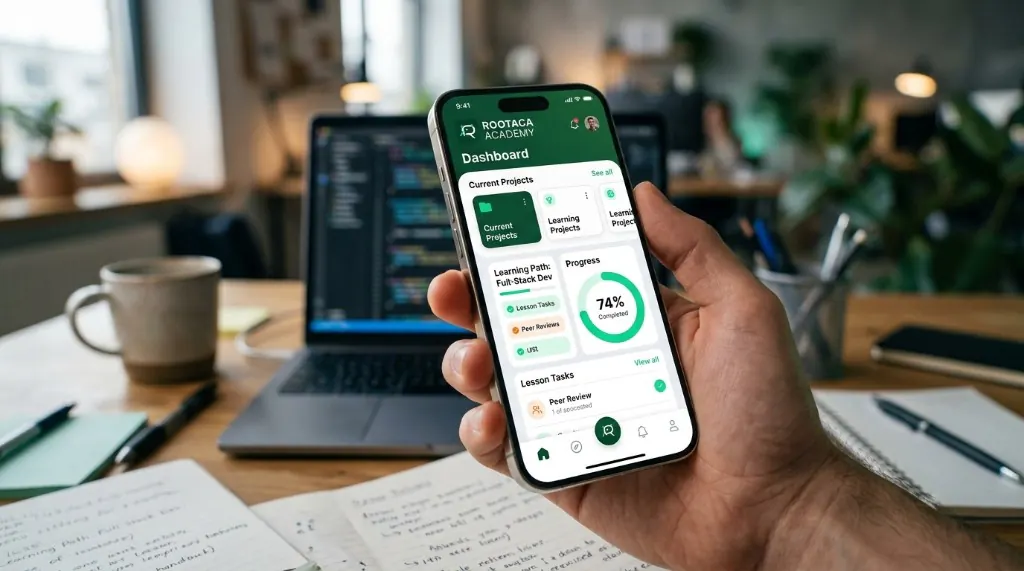
Student Training Project
Applied project: Mobile Application
We build an app that starts from a clear idea, then turn it into connected screens, a usage experience, and interactive logic.
What we build
- Mobile Screens
- Navigation
- User Interaction
- Application Logic
- Data
- App Flow
What the student practices
- UI
- State
- Logic
- User Experience
- Problem Solving
Student Training Project
What is the app made of?
The student starts to see that an app is connected parts, and each part has a role.
- UI↓
- App Logic↓
- State↓
- API / Data
The user does not see the code... they live the experience.
Clarity
The user knows what to do.
Flow
The steps make sense.
Feedback
The app shows what happened.
Consistency
Screens behave in a consistent way.
That is why mobile development combines programming, thinking about the user, and building a complete experience.
Your journey in mobile development
01
Understand
We understand the app idea and the user.
02
Design
We define the screens and the user flow.
03
Build
We build the interfaces.
04
Interact
We add interaction and logic.
05
Connect
We work with data and services.
06
Test
We test the app and improve the experience.
07
Release
We learn the basics of preparing an app for release.
After the program you will be able to...
Build mobile interfaces
Create connected, responsive screens.
Design user flows
Turn a user need into a clear journey.
Add interaction
Make the app respond to what the user does.
Build app logic
Handle scenarios and rules.
Work with data
Understand how to fetch, show, and update data.
Build an applied app
Turn an idea into a relatively complete mobile training project.
And after Mobile Development?
After building experience in mobile apps, you can grow based on your interest.
Software Development
A deeper view of building systems and software.
Web Development
Apply the same building and interaction ideas on the web.
AI & Data
Explore connecting apps with data and AI.
UI/UX
Go deeper into user experience and interface design.
Questions about the program
Do I need to know programming before the program?+
Because the program is classified as intermediate, a suitable programming foundation is recommended.
Is the program only about designing screens?+
No. It includes interfaces, interaction, logic, state, data, and release basics.
Will we work on a project?+
Yes. There is an applied training project for students.
Will we learn UI/UX?+
The program covers the basics of app experience and a clear user flow, but it is not a specialized UI/UX program.
Will we learn how to publish apps?+
We cover the basics of preparing and releasing apps, at the level of this program.
Can I build my own app?+
The program aims to teach the concepts and tools that help you turn an idea into a training app you can build and develop.
Ready to turn your idea into an app?
Start from the idea, and build your first mobile experience.